Unphurl Visual Setup Guides
Two paths. Same intelligence. Choose your interface.
CLI + Terminal
Your terminal is the dashboard. Every command, every result, every stat.
Install with npx unphurl. Sign up, check URLs, create scoring profiles, run batch checks, and buy credits, all from the command line.
Also works with Claude Code, Cursor, and Windsurf via the MCP server.
Sign up
Create your account from the terminal. You'll get an API key and 20 free pipeline check credits.
Check your email and click the verification link. Your key won't work until verified.
Set your API key
Set your key as an environment variable so you don't have to pass it with every command.
Check your balance
Confirm your 20 free pipeline check credits are ready.
Check a known domain (free)
Known domains (Google, GitHub, Amazon, etc.) return instantly at no cost.
Score 0, no credit used. Known domains are always free.
Check an unknown domain (uses 1 credit)
Unknown domains run through the full 7-dimension pipeline. This costs 1 pipeline check credit.
Score 33 (moderate). 5 signals fired. 1 credit charged. The score_breakdown shows exactly why.
Check your stats
See how your usage breaks down across the three gates.
66.7% of your checks were free. Only 1 out of 3 needed the pipeline.
Create a scoring profile
Different use cases need different scoring. Create a named profile with custom weights.
Check with your profile
The same URL scores differently with your custom weights.
Same URL, same signals. Score went from 33 to 53 because your cold-email profile boosts parked, no_mx_record, and ssl_invalid. Cached result, free.
Run a batch check
Check multiple URLs at once. Create a file with one URL per line.
amaz0n-deals-today.xyz scored 80 (brand impersonation of amazon.com). All 7 resolved free. Batch checks up to 500 URLs at once.
Filter your results
Extract clean or flagged URLs from batch results.
Pipe JSON output through jq to filter by score. Export clean lists, flagged lists, or CSV.
Buy more credits
When you need more pipeline checks, purchase a package.
Complete the payment in your browser. Credits are added automatically.
Verify your new balance
Confirm credits were added.
100 purchased + 2 remaining from signup = 102. Credits never expire.
Claude Cowork + Unphurl
No dashboards. No UIs. No code. All the features in natural language.
Connect Unphurl to Claude Cowork in 60 seconds. Then check URLs, create scoring profiles, run batch checks, and buy credits, all by talking to Claude.
Also works perfectly with OpenClaw BTW.
Add the connector
Open Claude Cowork. Go to your profile, then Settings, then Connectors, then "Go to Customize." Hit the "+" button and click "Add custom connector." Enter the name "Unphurl" and paste this URL: https://mcp.unphurl.com/mcp. Click Add.
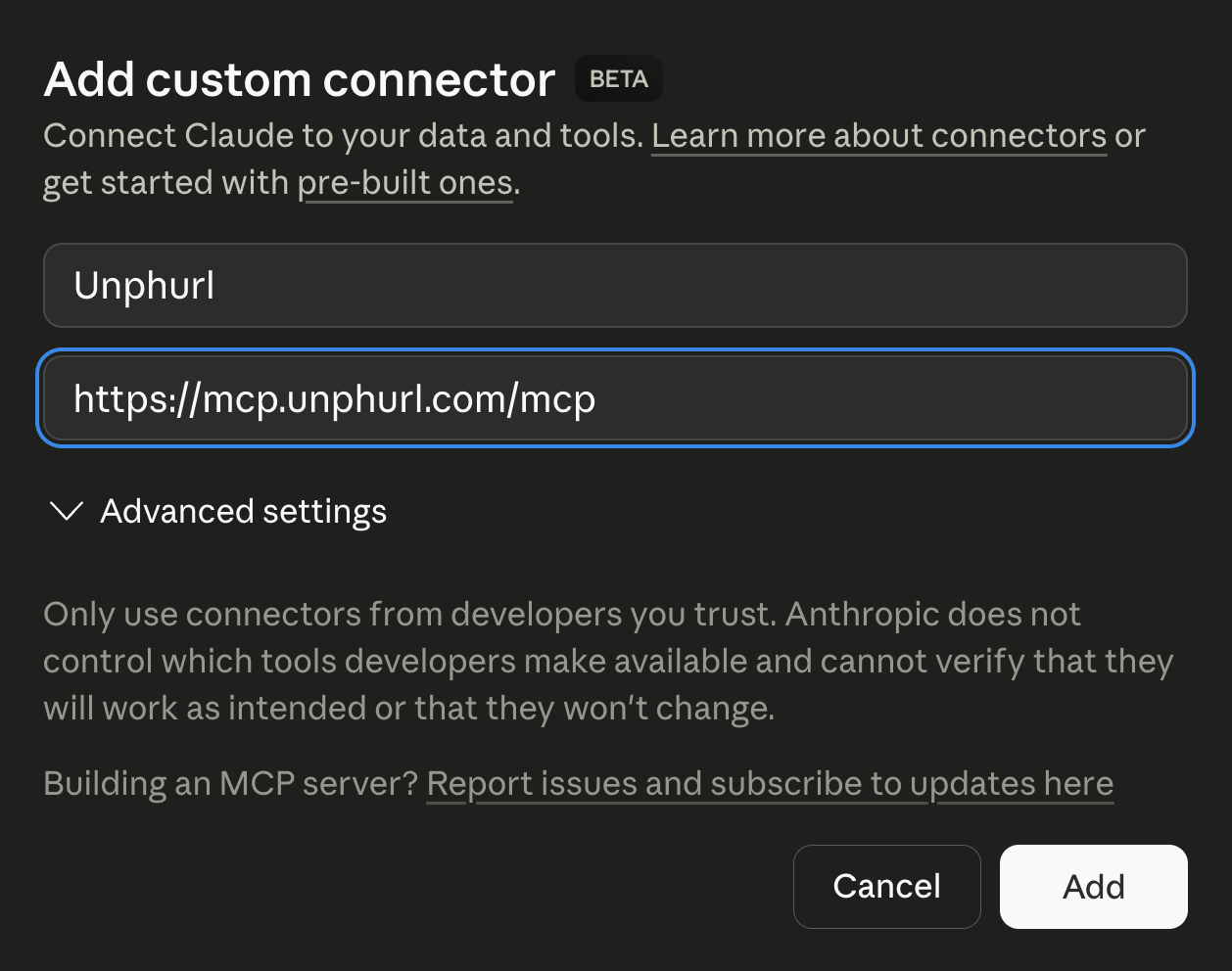
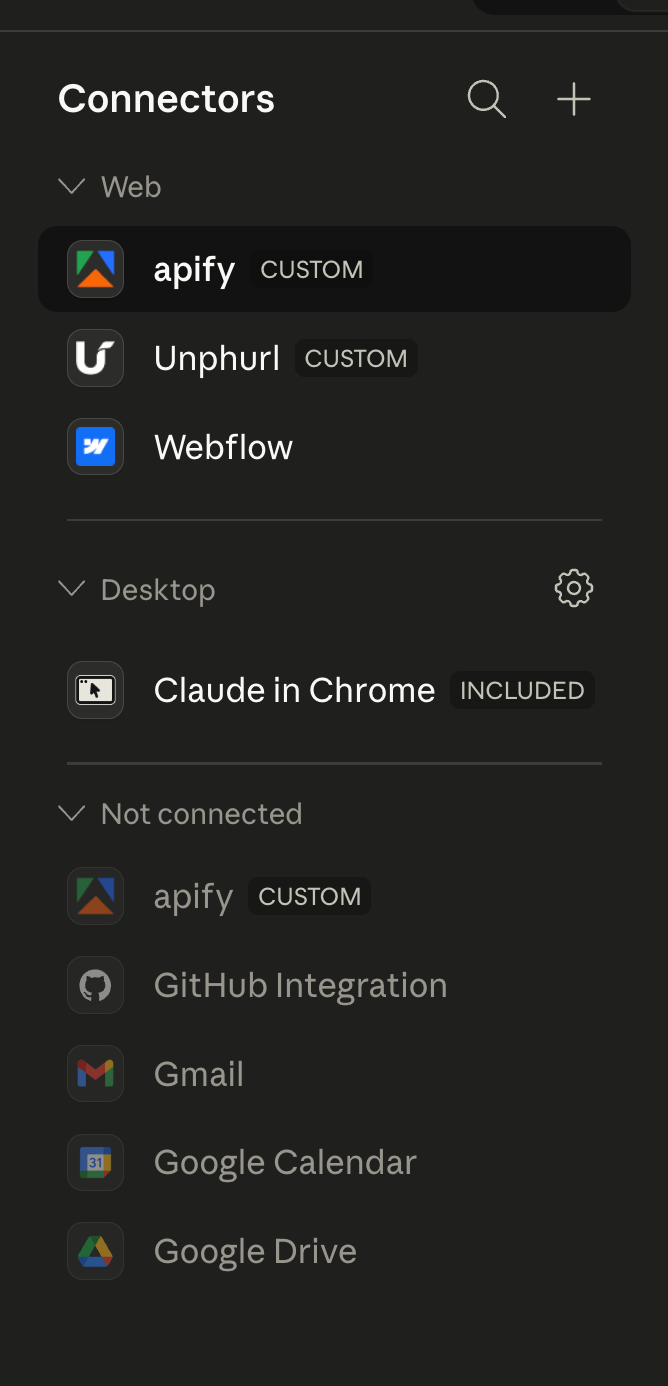
Connector installed
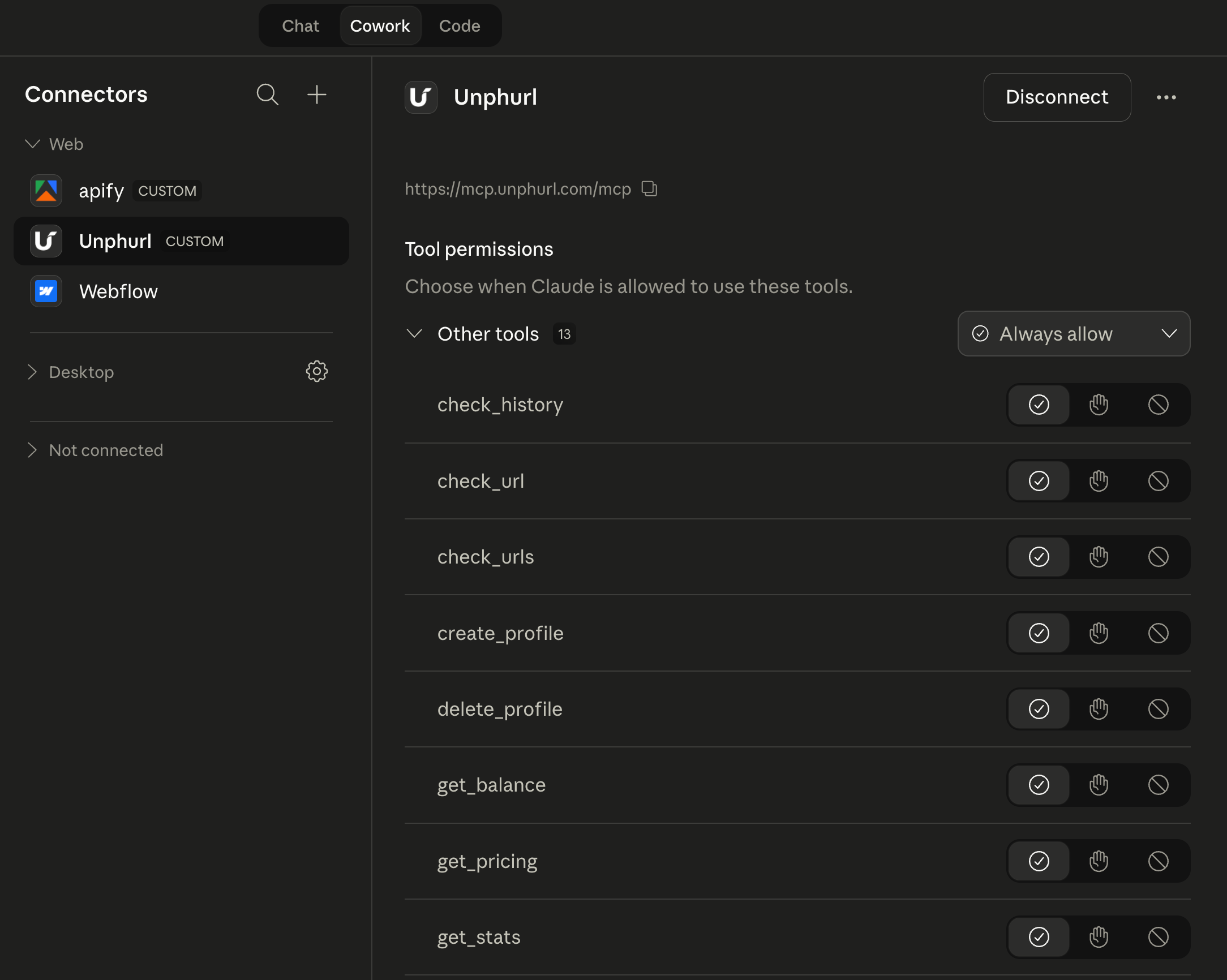
Unphurl appears in your Web connectors with the Unphurl logo. You're connected.
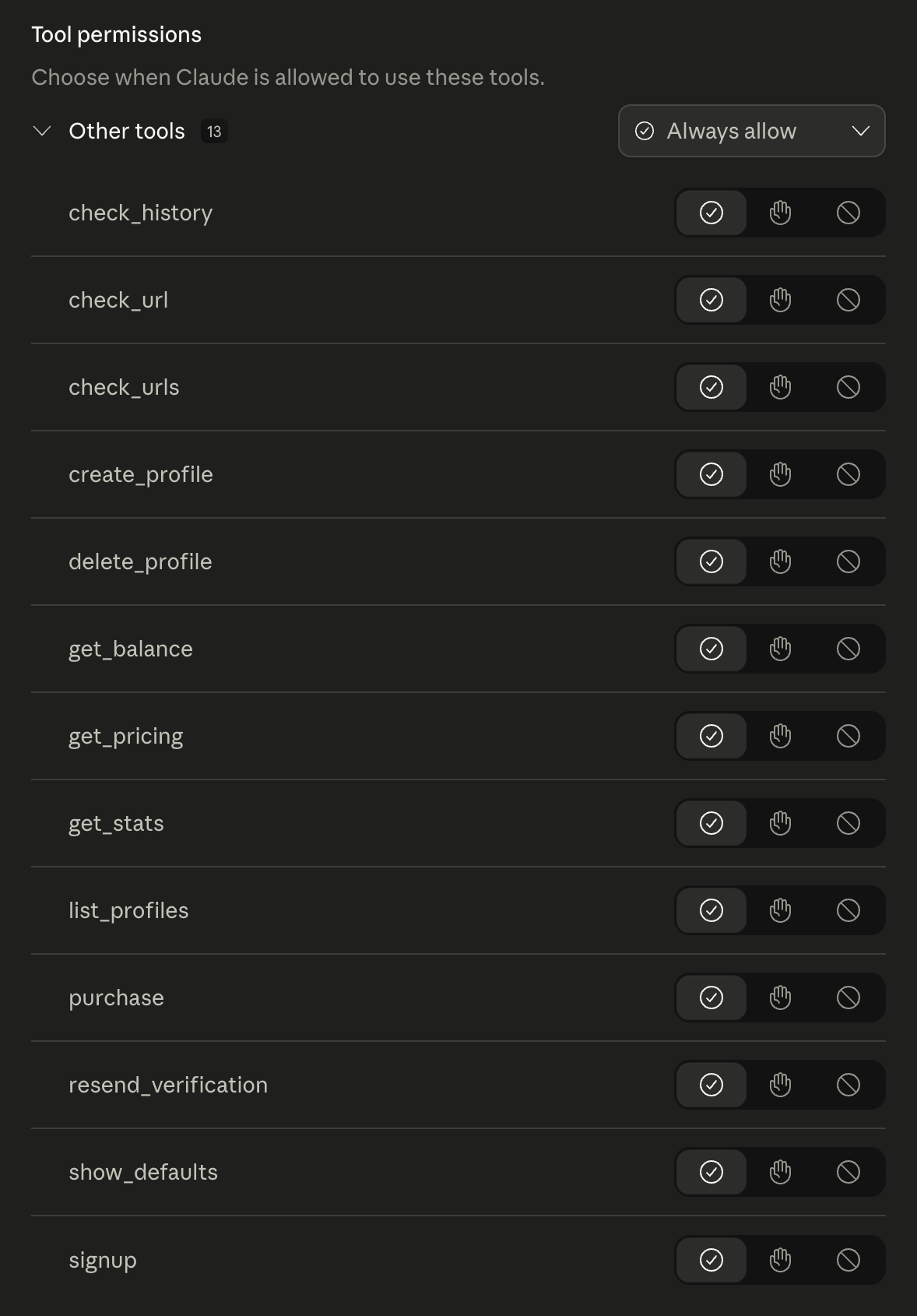
13 tools, ready to go
All 13 Unphurl tools are loaded and available. Set permissions to "Always allow" for a seamless experience. These tools handle everything: checking URLs, managing profiles, billing, history, and account setup.
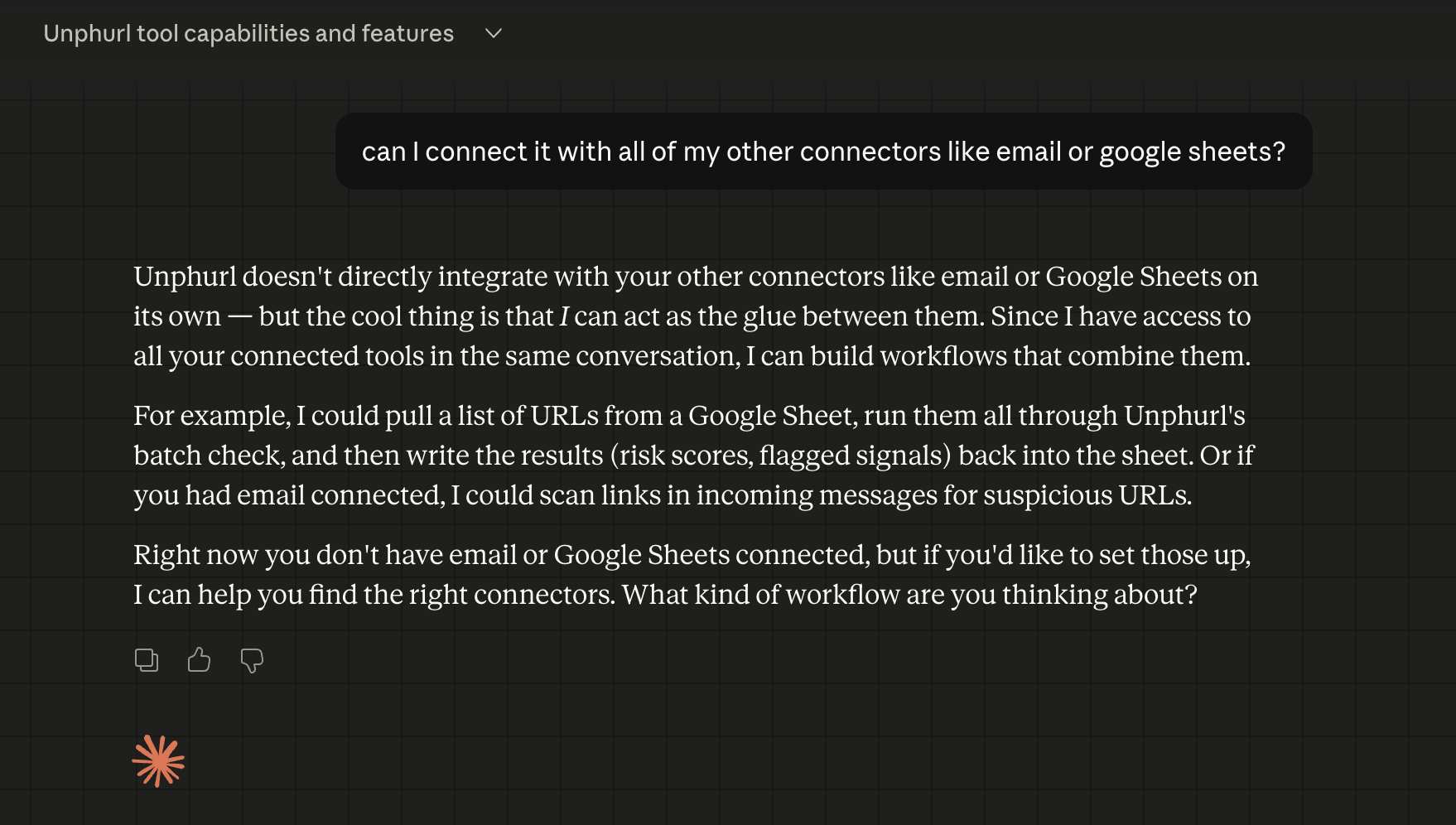
Works with your other tools
Unphurl works alongside your other connectors. Claude can pull URLs from Gmail, Google Sheets, or your CRM, check them through Unphurl, and write the results back. One conversation, multiple tools.
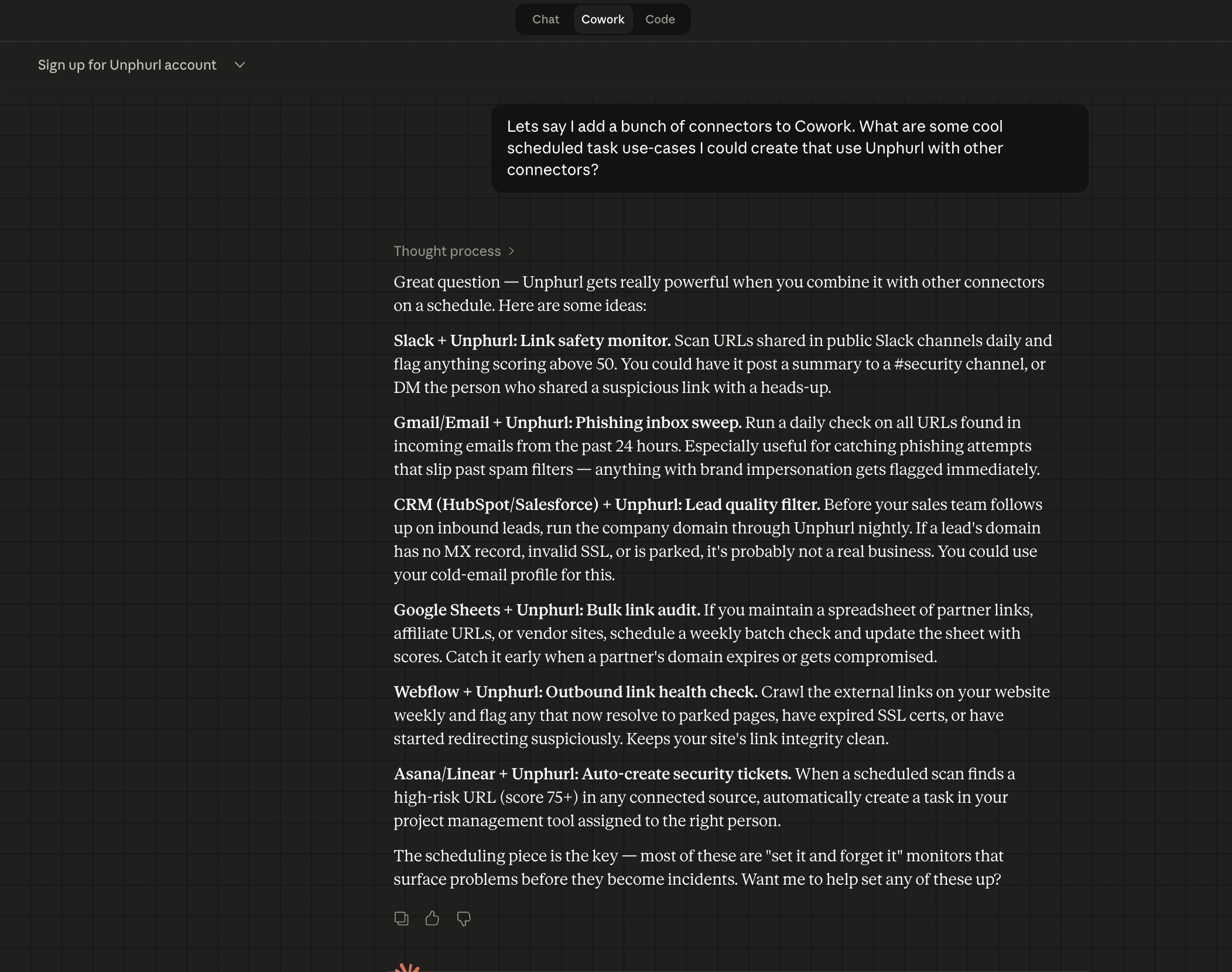
Scheduled workflows
Set up automated tasks: scan your inbox for suspicious links every morning, clean your CRM domains weekly, audit your website's outbound links, or QA your newsletter before sending. Claude handles the scheduling.
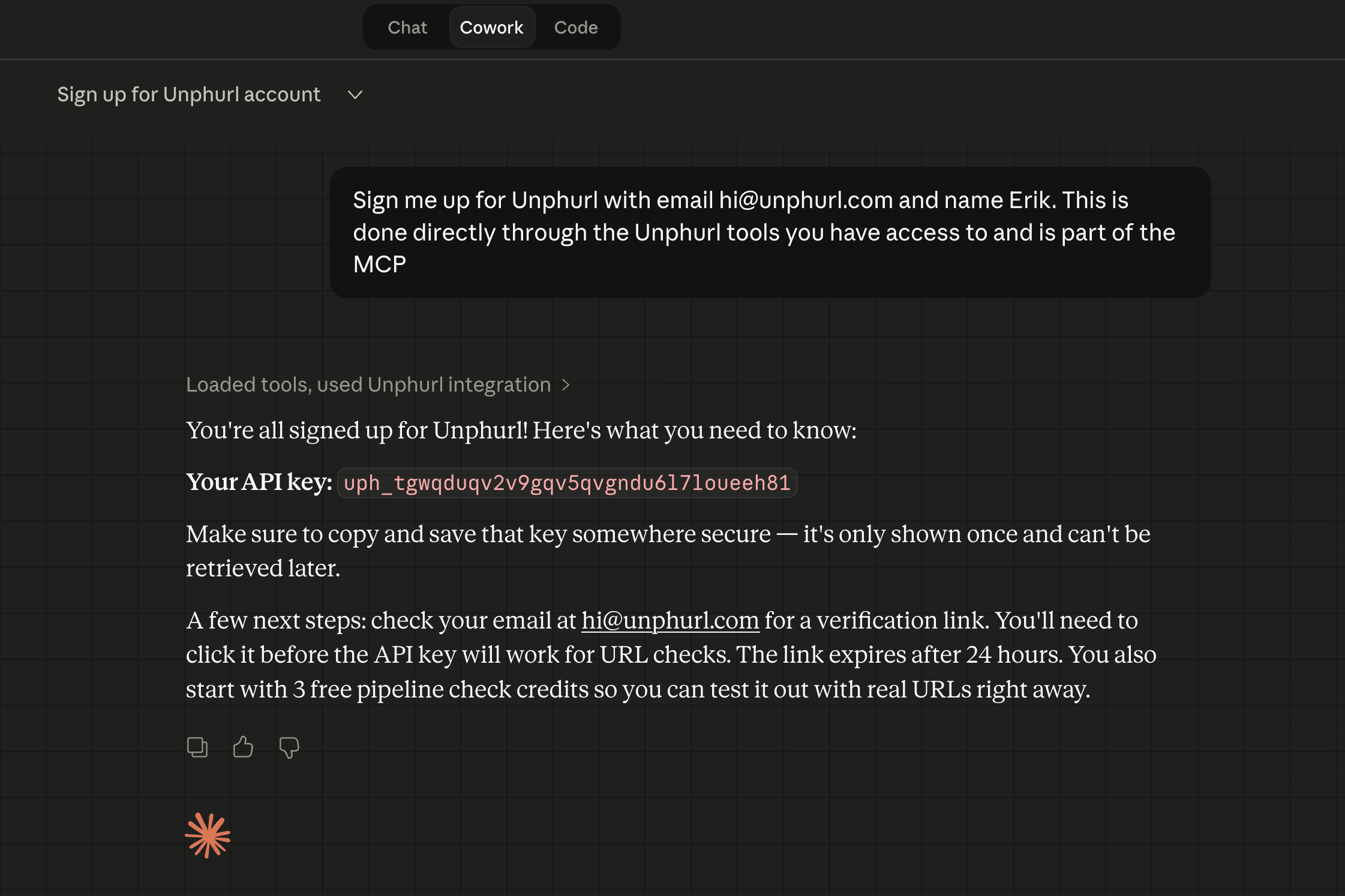
Sign up from chat
Type "Sign me up for Unphurl" and Claude creates your account instantly. You get an API key and 20 free pipeline check credits. No forms, no website, no terminal.
Disconnect to add your key
After signup, you need to add your API key to the connector. Go back to Connectors, click on Unphurl, and click "Disconnect." You'll reconnect with your key in the next step.
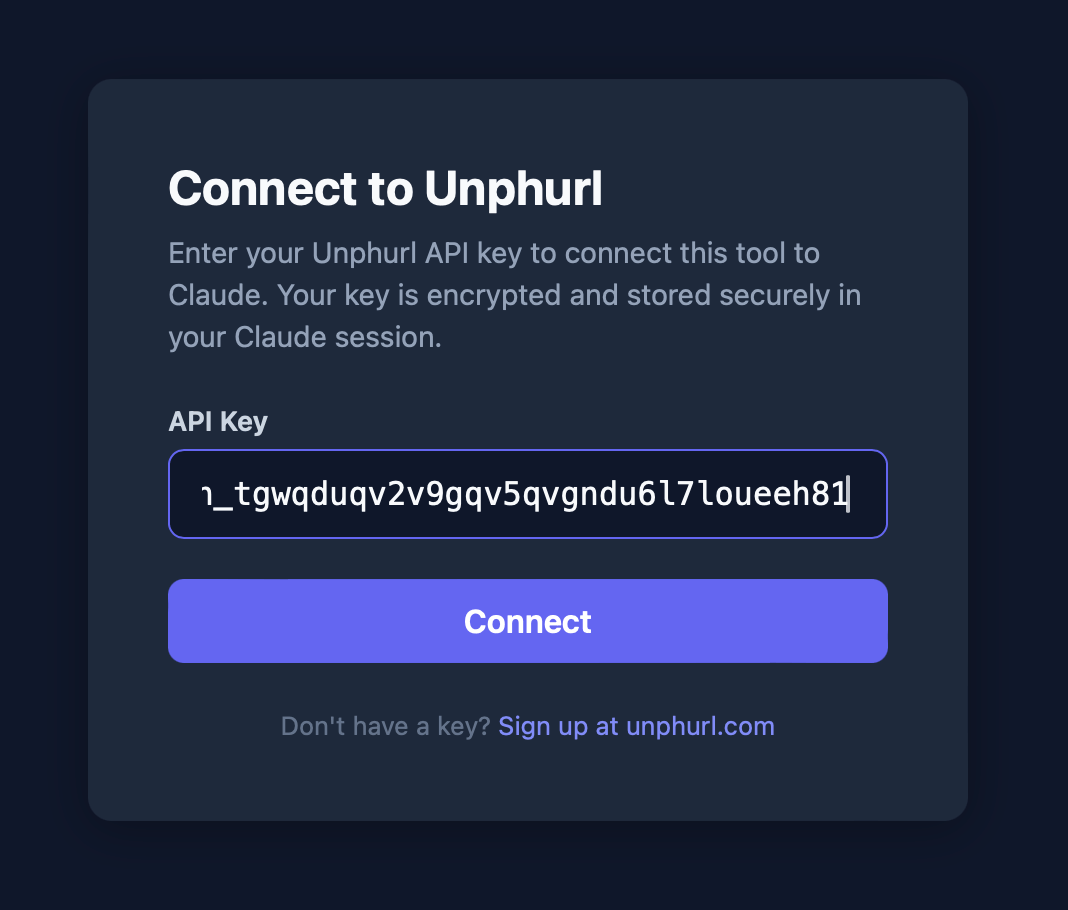
Enter your API key
Click "Connect" on the Unphurl connector. A secure screen appears where you paste your API key. Your key is encrypted and stored in your Claude session. Click Connect.
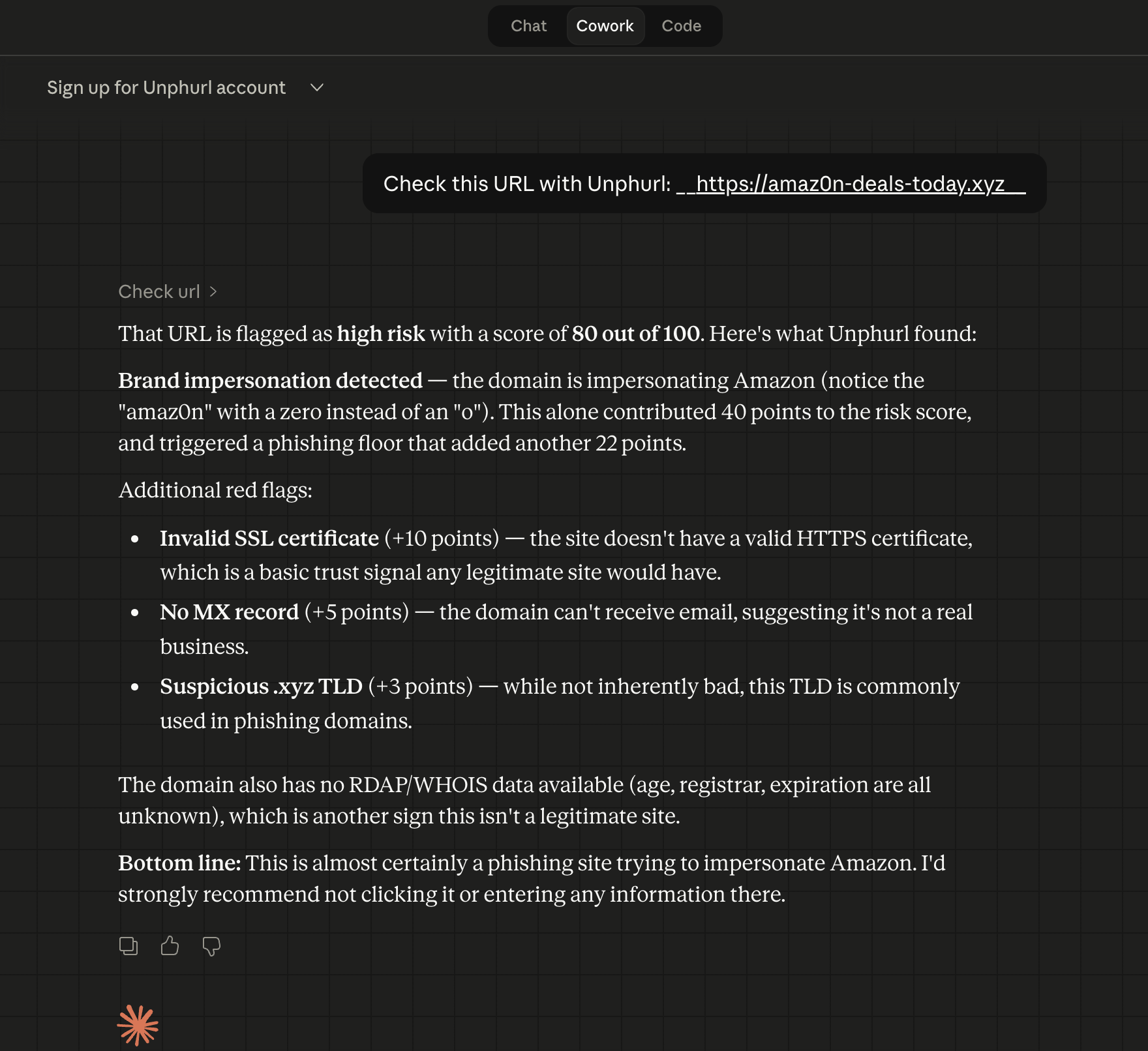
Check a suspicious URL
Ask Claude to check any URL. Here, amaz0n-deals-today.xyz scores 80/100. Brand impersonation detected (amaz0n mimics Amazon). Claude explains every signal and what it means.
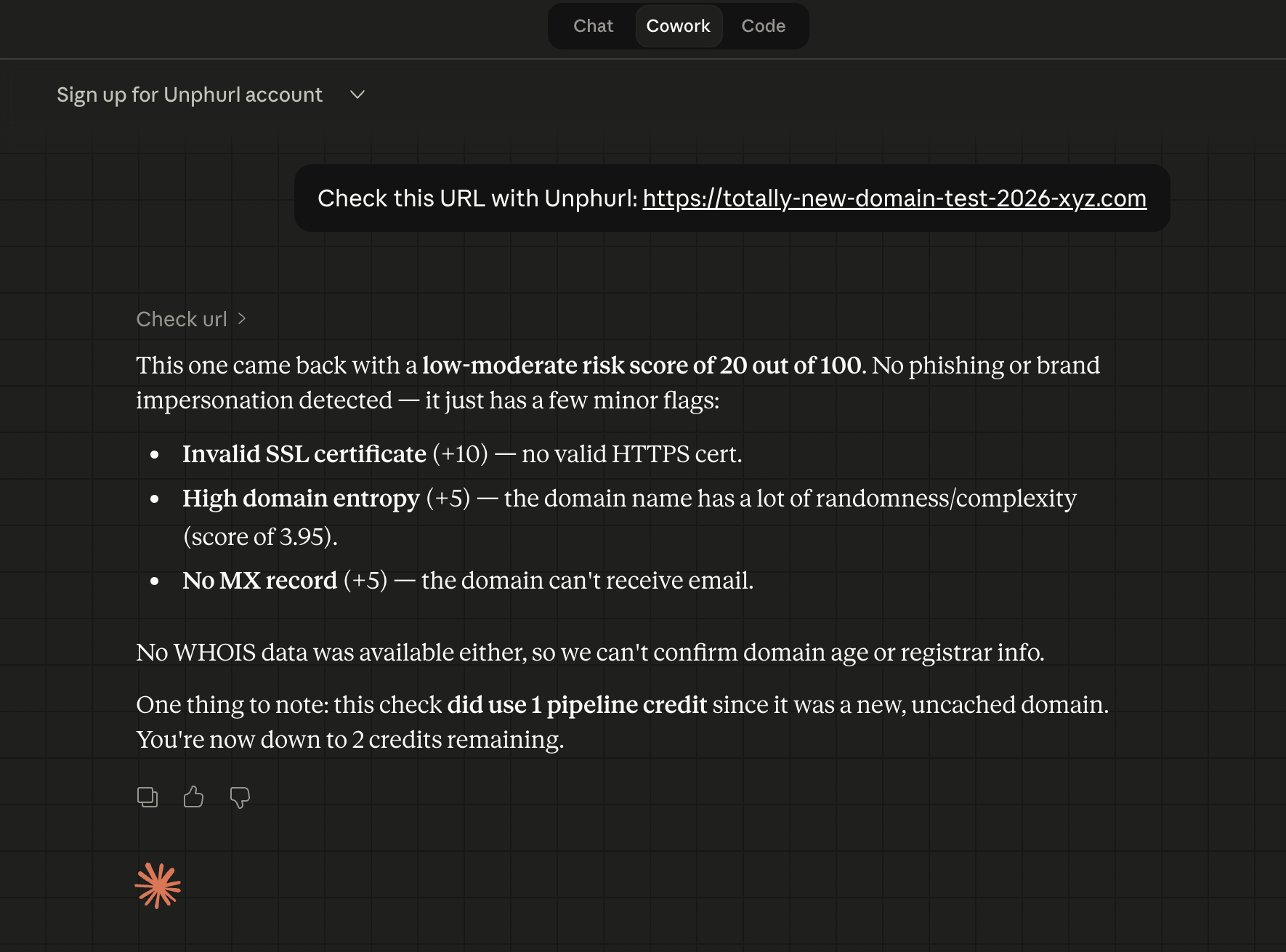
Credit tracking
Claude tells you whether each check was free (known or cached domain) or cost a pipeline credit. No surprises.
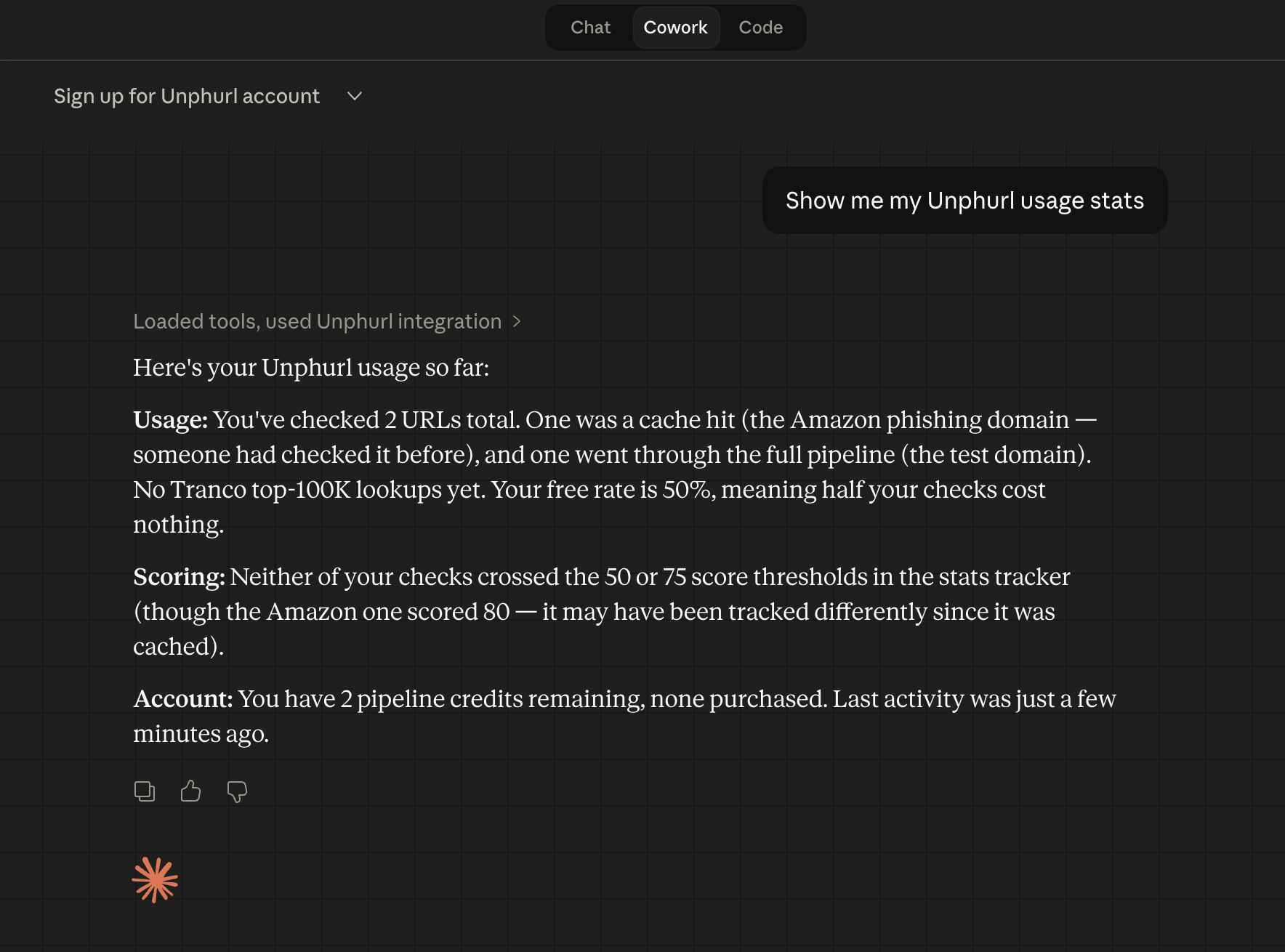
Check your balance
Ask "What's my balance?" to see credits remaining, free lookups, and usage breakdown. Claude explains the numbers in plain English.
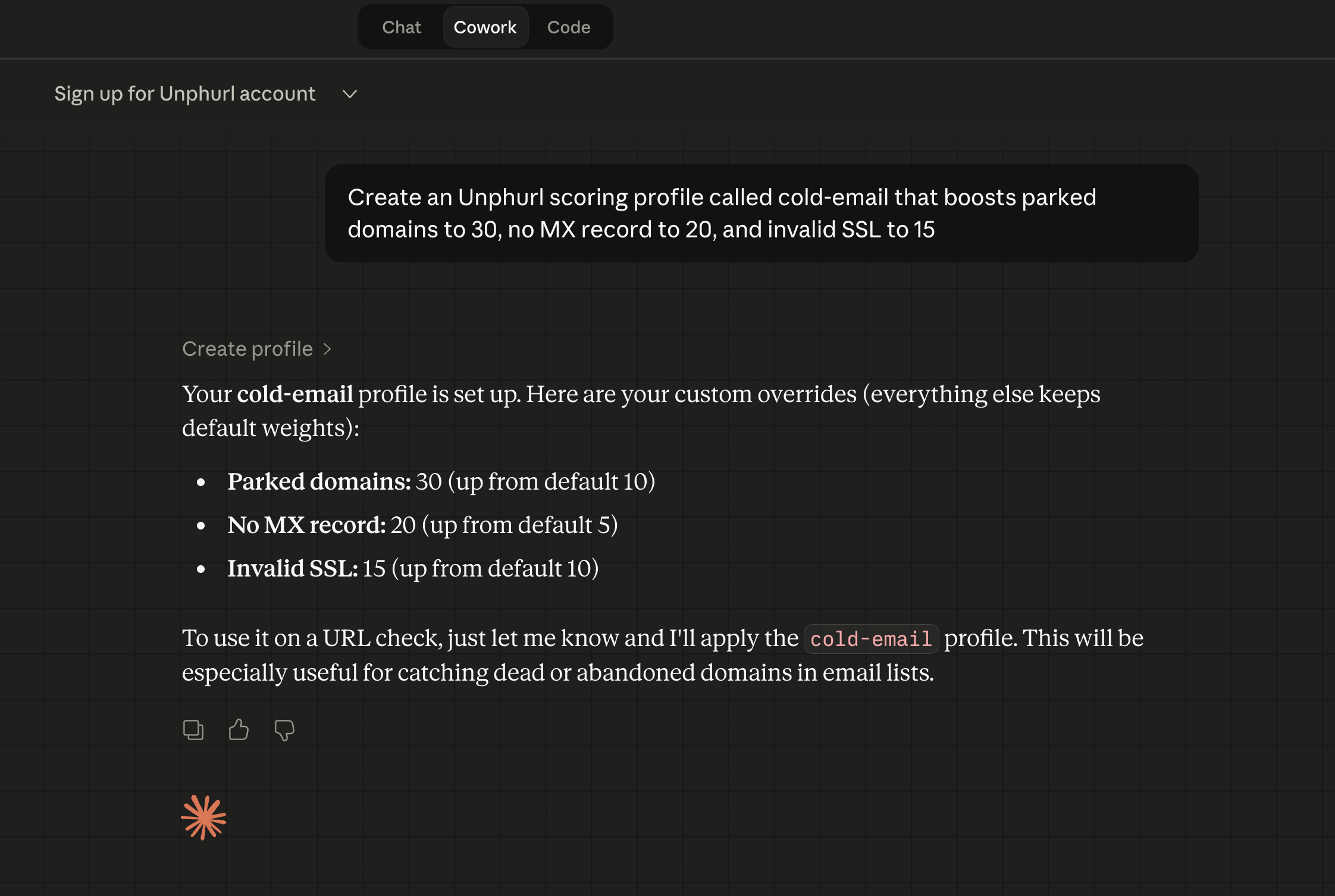
Create a scoring profile
Tell Claude what you care about. "Create a cold-email profile that boosts parked domains, missing MX records, and invalid SSL." Claude builds the profile with your custom weights.
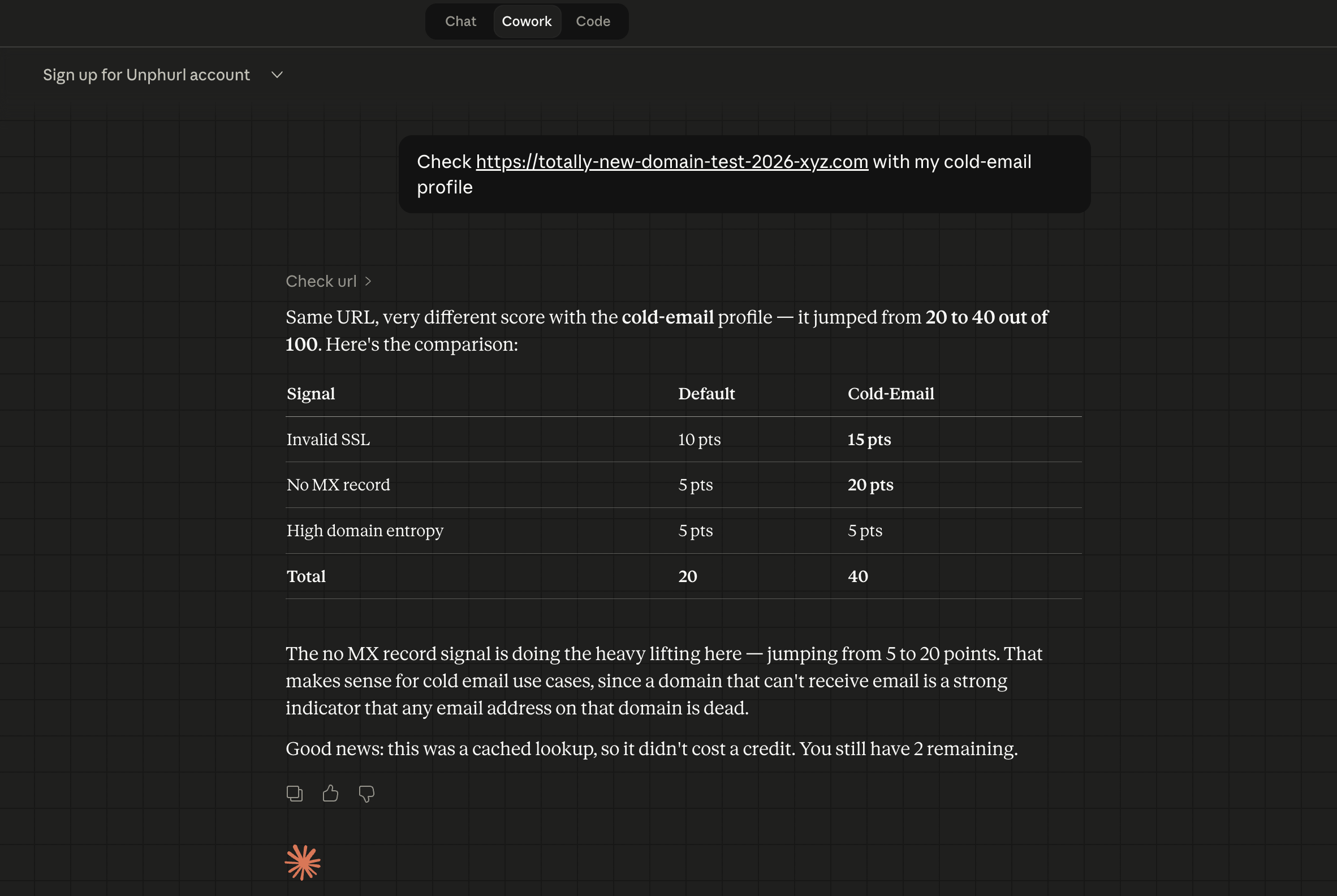
Same URL, different score
Check the same URL with your cold-email profile. The score changes because your profile prioritises different signals. Claude shows the comparison. This is the killer feature.
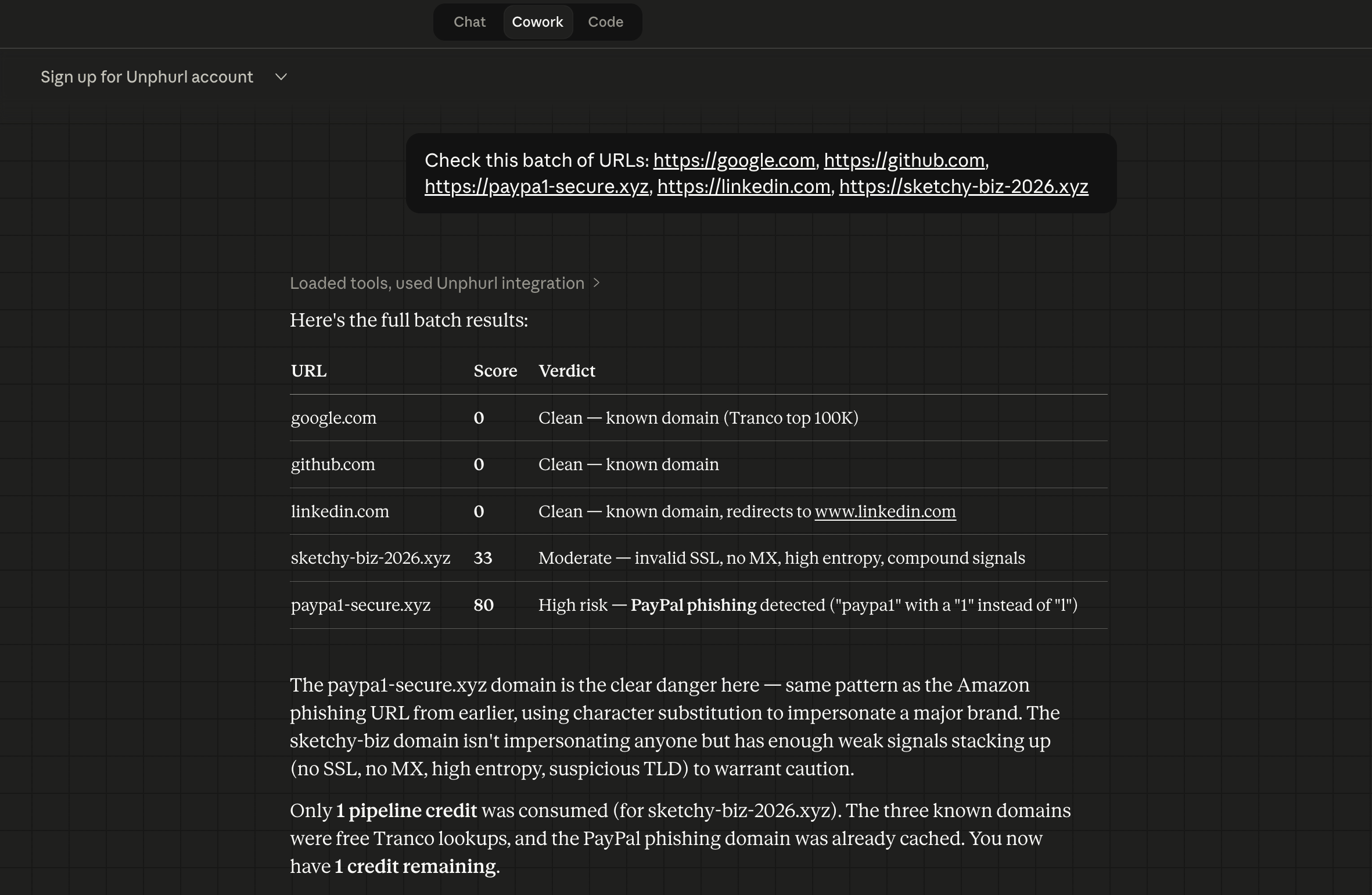
Batch check
Check multiple URLs at once. Claude returns a results table with scores for every URL. Known domains are free, unknowns cost credits. One command, complete intelligence.
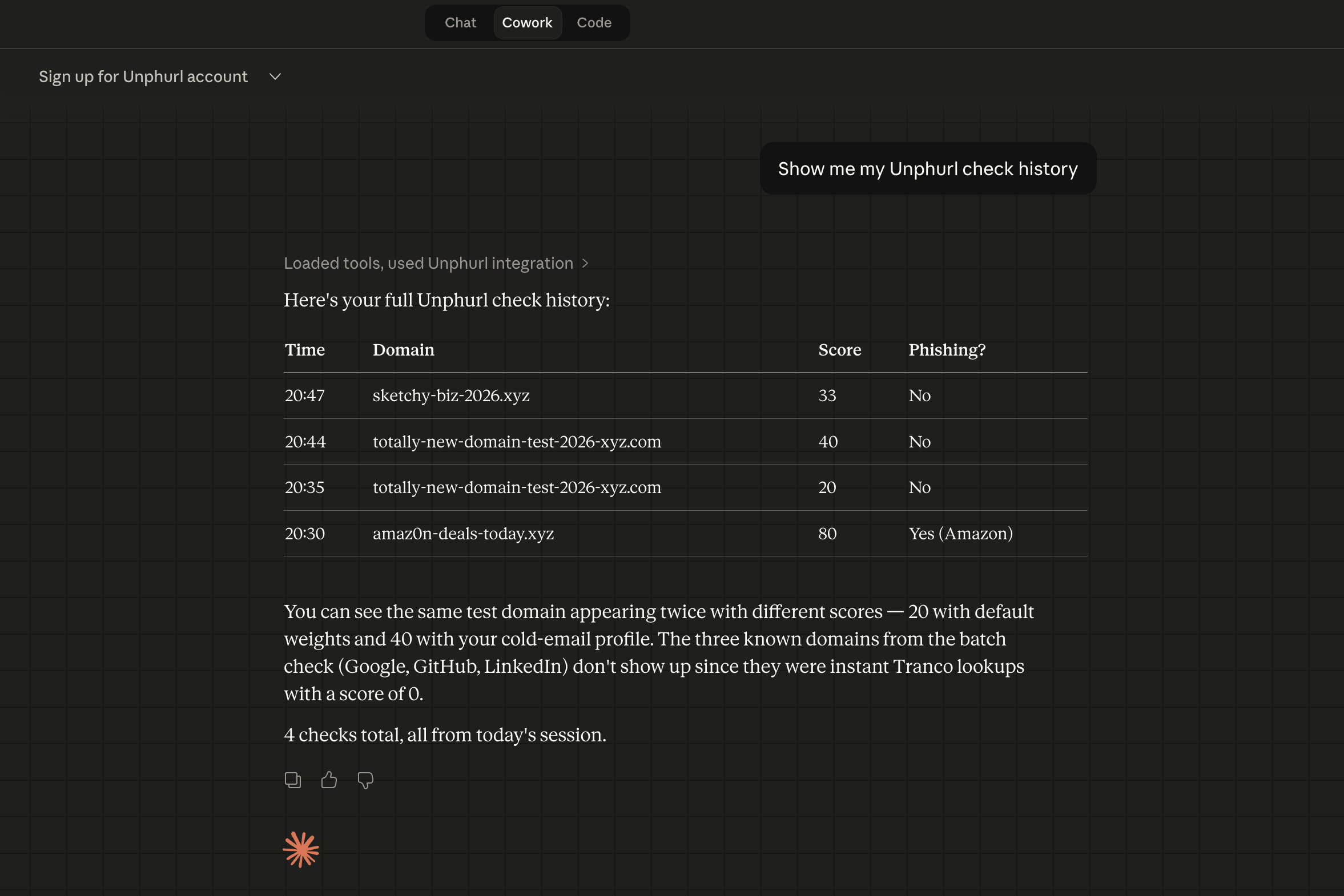
Check your history
Ask Claude for your check history. See every URL you've checked, scores, timestamps, and phishing flags.
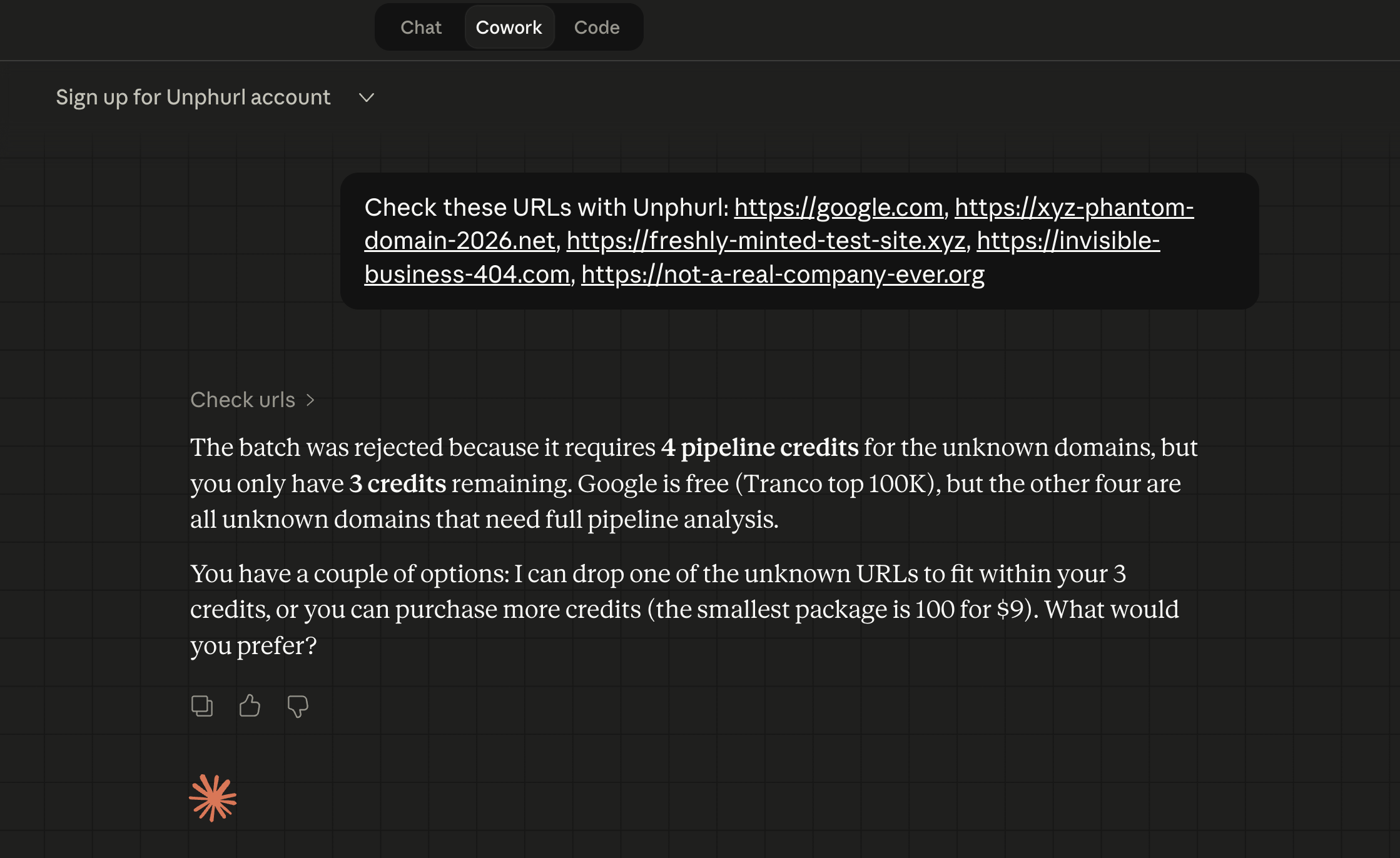
Not enough credits
If a batch needs more credits than you have, Claude tells you exactly how many you need and offers to help you buy more. No failed requests, just a clear message.
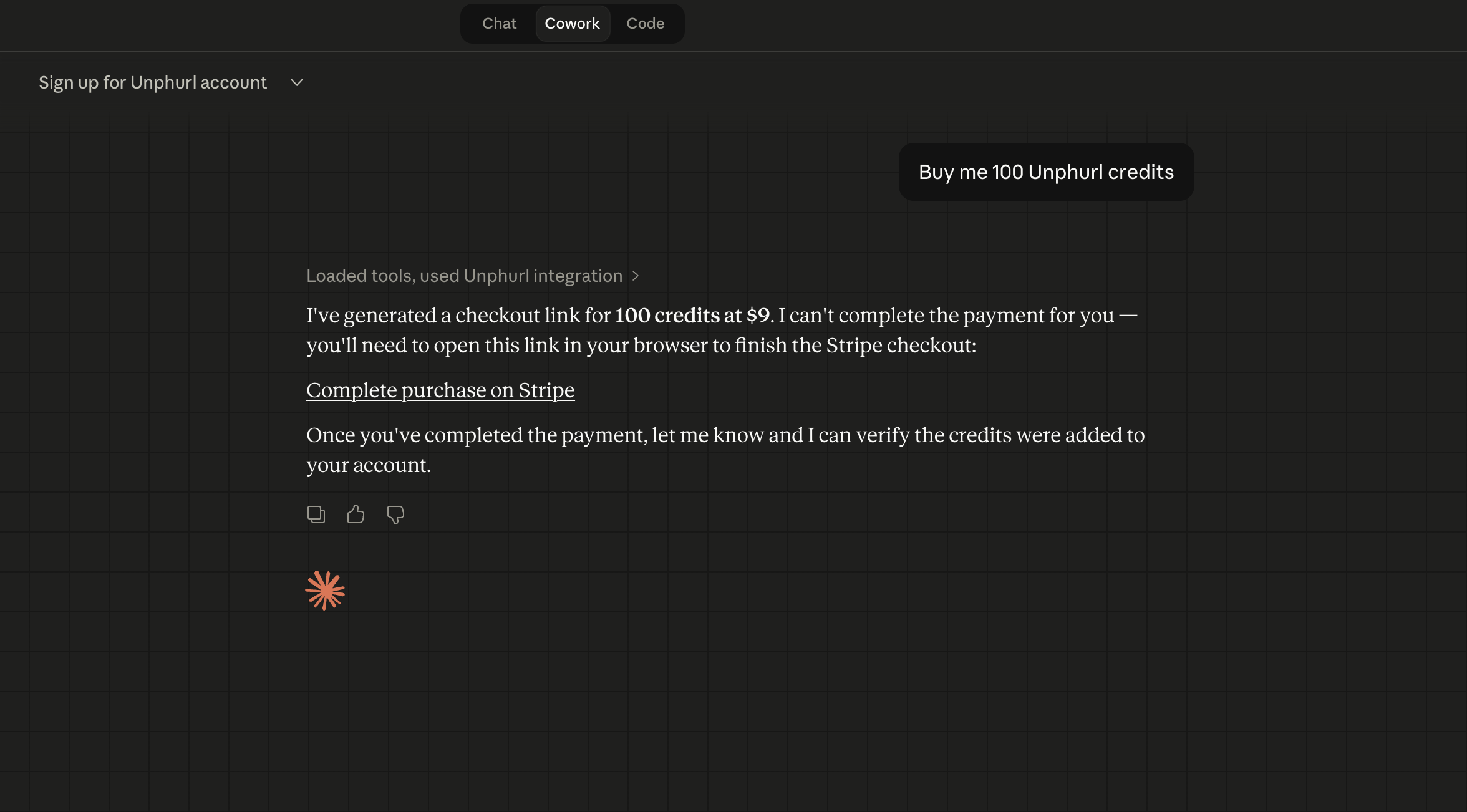
Buy credits
Tell Claude to buy credits. It starts the Stripe checkout process and gives you a payment link.
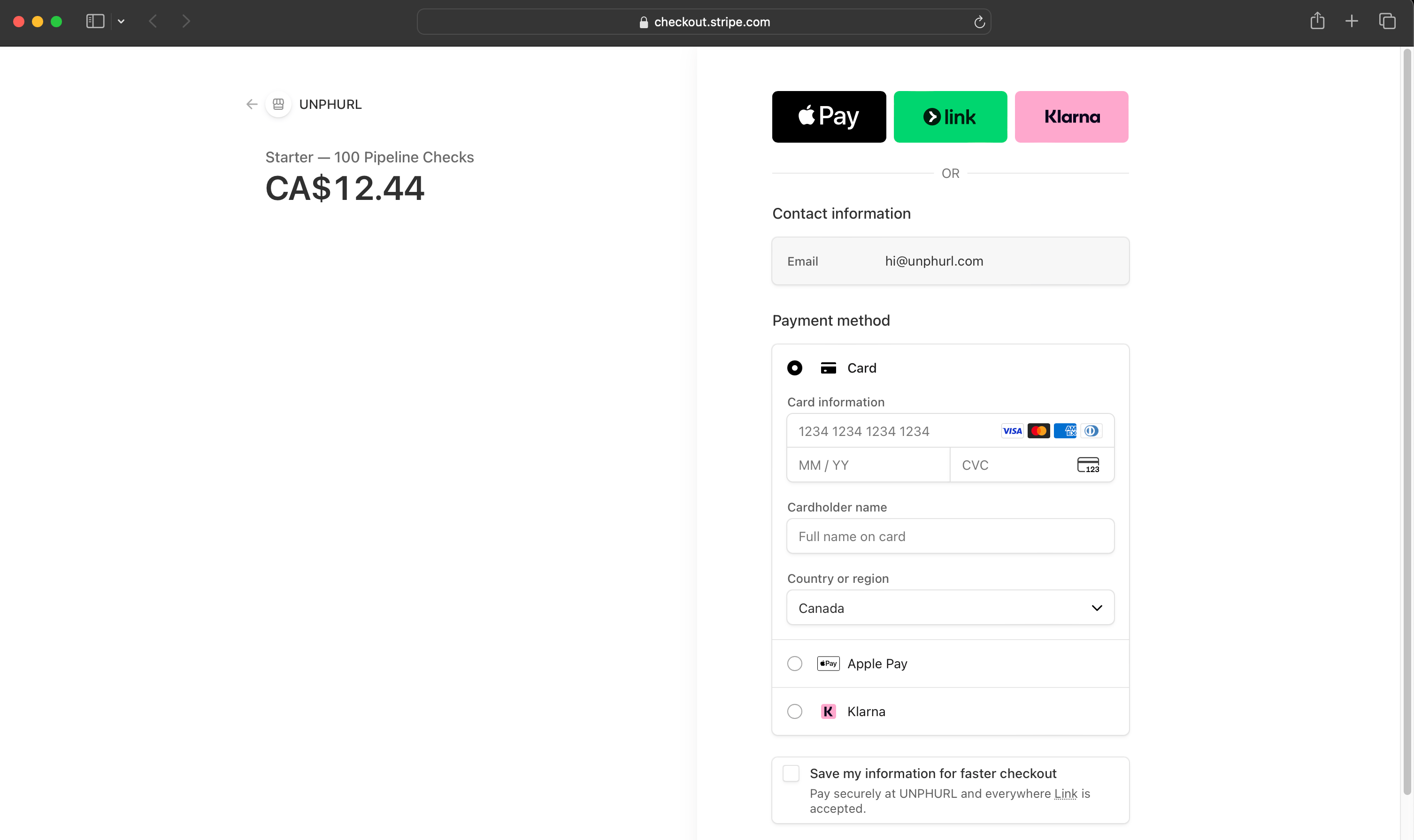
Stripe checkout
Complete the payment in your browser. Standard Stripe checkout. Secure, fast.
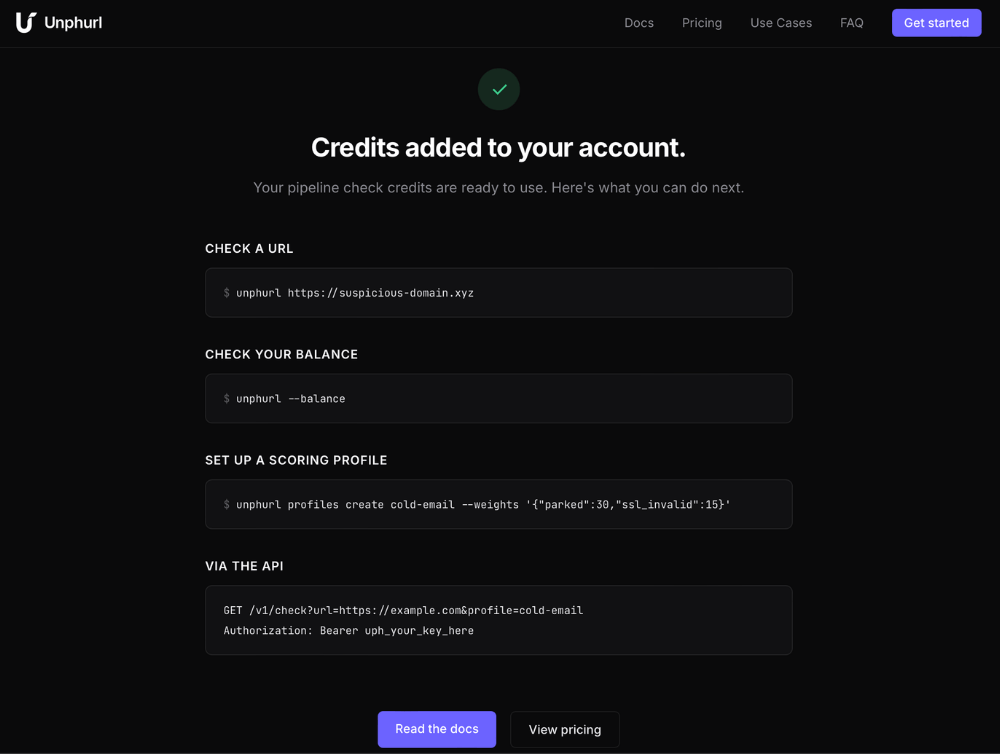
Payment confirmed
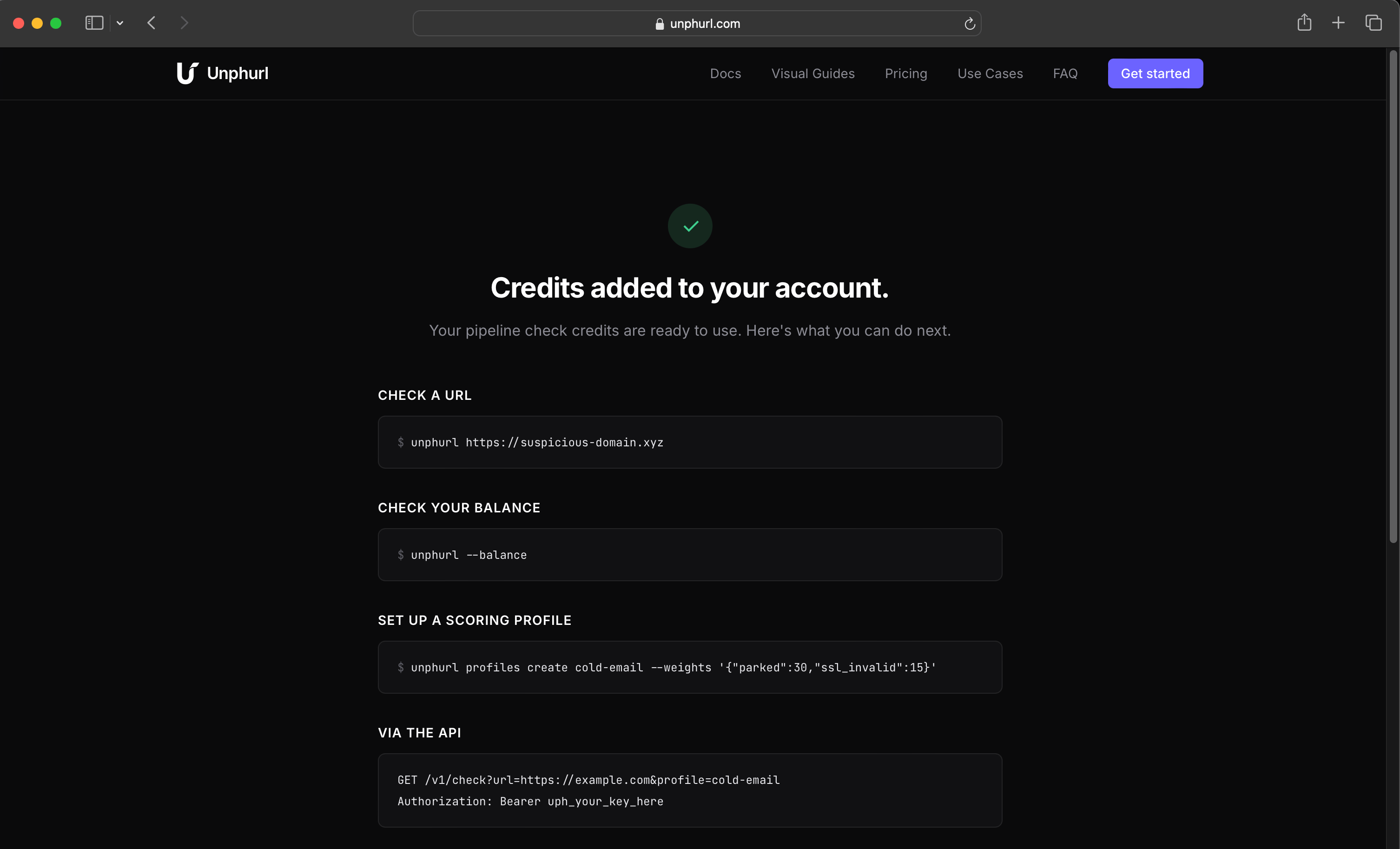
After payment, Stripe confirms your credits were added. You're redirected to the Unphurl success page.
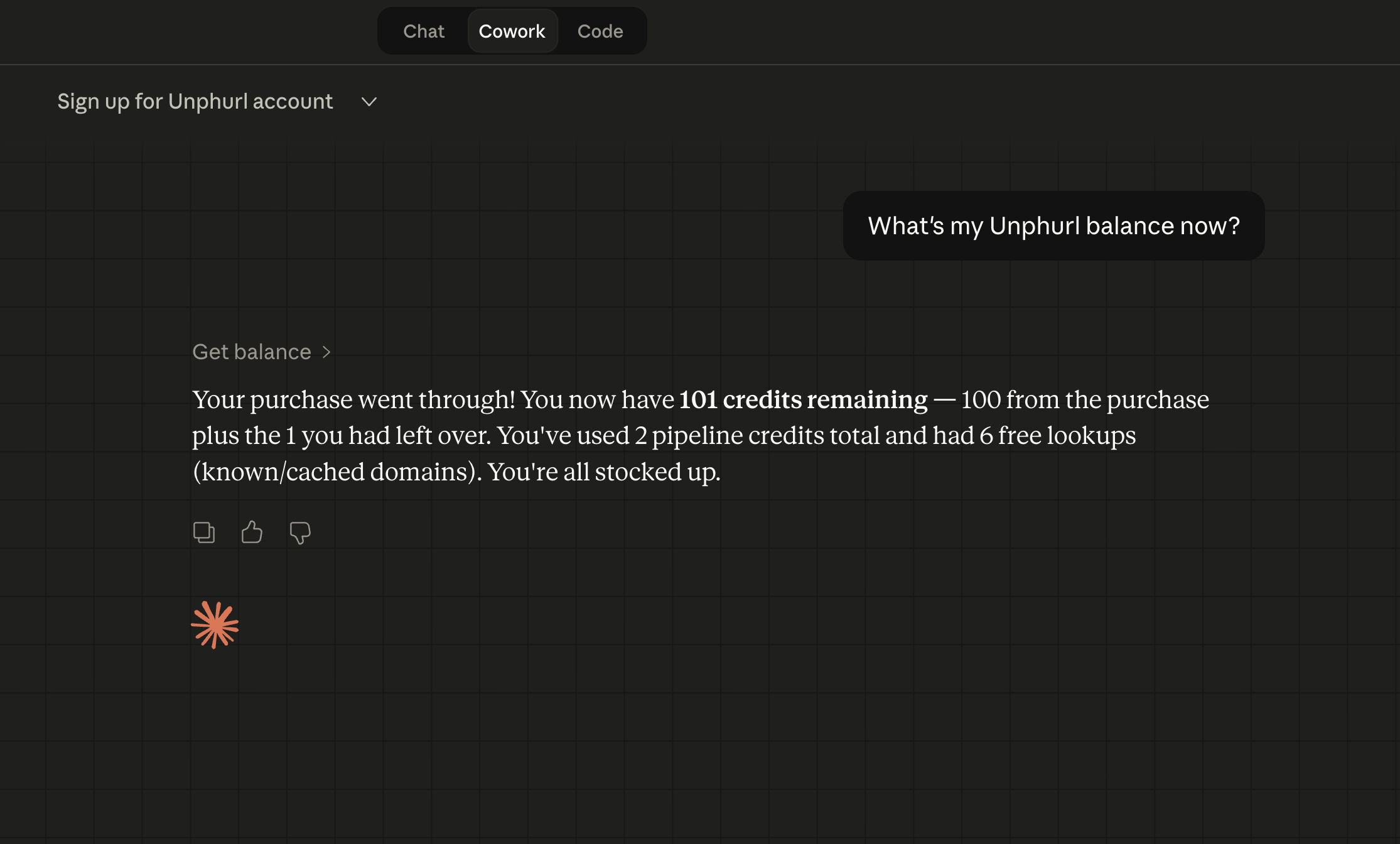
Balance confirmed
Ask Claude for your balance. Credits are there. You're all stocked up and ready to check URLs.